QLab Pro 4.6.10 MacOSX
Ò»¿îÓÅÐãµÄÏÔʾ¿ØÖÆÆ÷¡£QLab Pro MacÆƽâ°æÌṩÁËËùÐèµÄ¹¤¾ßºÍ¹¦ÄÜ£¬¿ÉÒÔ´´½¨¸´ÔÓµÄÉè¼Æ£¬Ê¹ÄúµÄÒôƵºÍÊÓƵÄÚÈÝÉú¶¯ÆðÀ´¡£Äú¿ÉÒÔÔÚ¼¸ÃëÖÓÄÚ´´½¨¸´ÔÓµÄÉè¼Æ¡£ÈëÃżòµ¥£¬Ö»ÒªÍ϶¯Ò»¸öÎļþÖУ¬°´¡°GO¡±¡£´ÓÄÇÀÌí¼ÓÃüÁîµ³öÒôÁ¿£¬¶¯»ÊÓƵ£¬»òÌí¼ÓÒôƵºÍÊÓƵЧ¹û¡£
QLab 4.x Pro Bundle | MacOSX | 18.3 MB
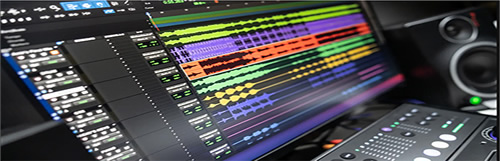
QLab provides live show control for your Mac. Create media designs for theatre, dance, composition, installation, and more. Play back audio, video, and MIDI from a single workspace. QLab 4 includes an all-new Light cue, a huge update to QLab Remote for iOS, and over 40 other new features.

Design Tools
- Unlimited Cue Lists with unlimited cues
- Unlimited Cue Carts with 1 to 64 buttons per cart
- Design in Edit Mode and run your performance in Show Mode
- Non-destructive design tools never modify your media files
- Undo any edits
- ¡°Audition¡± cues locally without sending audio, video, or lighting output to the stage
- Cue templates and Workspace templates
- ¡°Record cue sequence¡± tool, to capture timing and play it back again the same way later
- ¡°Paste cue properties¡± tool, to selectively paste properties from one or more cues onto other cues in your workspace
- Text search of cue lists and cue carts
- Extensive AppleScript and OSC APIs
- A comprehensive Status Window to guide troubleshooting
- Powerful and painless remote editing via QLab Remote
Lighting
- Control unlimited Art-Net DMX universes.
- Create unlimited light instruments (like channels, but can be named anything, not just numbers).
- Create unlimited light groups to collect related instruments together, like "all", "stage right", "LEDs", "floor", or "floor front left".
- Use both conventional dimmers and more complex lights with multiple parameters (includes support for percentage-based parameters, as well as both 8-bit and 16-bit direct DMX parameters.)
- QLab-style levels fading: it's simple to build looks and effects that you can layer and reuse. A Light cue changes only the levels you set in the cue, and leaves the rest unchanged.
- Build sophisticated lighting designs by chaining Light cues together to build complex cue sequences out of simpler parts, then trigger the sequence with a single ¡°GO¡± like a chain of dominoes.
- As with all cues in QLab, Light cues can be copied, pasted, reordered, paused, resumed, and stopped at any time
- All QLab fade curves are available for Light cues; including linear, s-curve, or totally custom shape fades.
- See and manipulate the current levels of all your lights using the Light Dashboard.
- If you need to sneak in live edits from the Dashboard, you can optionally tell QLab to apply the new values "over time" so they'll fade in smoothly.
- Open the Audition Window to view the effects of light cues ¡°blind¡± in the dashboard. Close the Audition Window, and the dashboard will instantly revert back to show the live state of your lights.
- Adjust your lights in the dashboard, then:
-Create a new cue with just the changes,
-Create a new cue with all instruments,
-Update the last-run light cue with the changes, or
- Trace back the edits to each cue that most recently modified each instrument.
- Map your favorite MIDI controller to light commands, for editing either the light dashboard or individual cues.
- For motorized MIDI hardware, QLab supports MIDI ¡°feedback¡± from the light dashboard and individual light cues. (Aka ¡°flying faders¡±.)
- Use QLab¡¯s powerful light command language, with autocompletion, instrument or group parameter addressing, ranges, ad-hoc groups, and command history, to efficiently edit both the light dashboard and individual light cues.
- View light cues as sliders, tiles, or raw command text at any time.
- View the Light Dashboard as sliders or tiles.
- Edit lights via keyboard entry (on the command line) or with the mouse (via clicking and dragging.)
- Easily delete individual light commands from any cue, and of course undo any edits.
- In slider view, expand group commands into all the individual instruments currently in the group.
- In slider view, indicators show the current live value of each light in a cue.
- In slider view, select multiple commands to temporarily ¡°gang¡± them, so you can adjust them up or down together.
- Quickly see when a group of instruments is set to all the same level or a mix of different levels.
- Batch-edit multiple light cues by selecting them and then simply editing any light command they all share. (Or adding a new command to all of them at once.)
- Use AppleScript, either externally or via Script cues, for advanced programming techniques like algorithmically generating a series of Light cues.
- Control both the Light Dashboard and individual Light cues via OSC messages.
Audio
- Support for up to 64 channels of audio output
- Support for up to 24-channel audio files
- Support for up to 24 channels of live audio input
- Audio waveform view
- Unlimited slices of your media files for looping and vamping
- Sample-accurate playback synchronization across multiple cues
- Audio panning and volume fading
- Customize output channel names
- Edit audio device routing
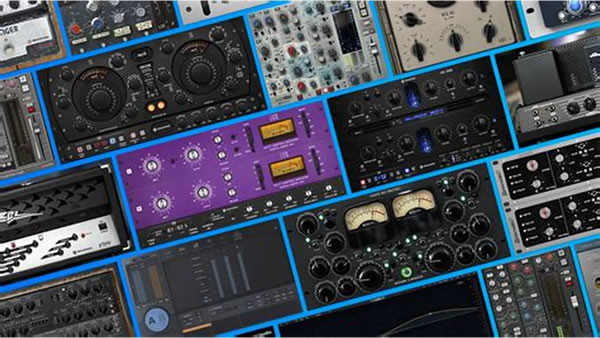
- Audio effects on any cue
- Audio effects on cue outputs
- Audio effects on device outputs
- Fade audio effects dynamically
Video
- Full-screen or custom geometry for Video cues
- Fade and animate videos
- 1000 layers of video
- Masking and edge-blending across multiple projectors
- Warping and keystone correction
- Basic video effects
- Live camera input with the Camera cue
- Syphon input & output
- Blackmagic input & output
- Text & titles with the Text cue
Show Control
- Send OSC or UDP messages using the Network cue
- Fade your OSC messages over time, in 1D or 2D
- Inject live values from your workspace into outgoing OSC messages
- Send all MIDI and MIDI Show Control messages with the MIDI cue
- Send MIDI messages by playing MIDI files with the MIDI File cue
- Run your own AppleScripts with the Script cue
- Generate LTC or MTC output with the Timecode cue
- Trigger cue lists from incoming LTC or MTC timecode
- Remote control via OSC and MIDI
Requirements: Intel, 64-bit processor OS X 10.10 or later
Home Page - https://figure53.com/qlab
Download rapidgator
https://rg.to/file/923fe951cf8193943f3d9200cd81eb1a/QLab_4.6.10_%5BTNT%5D_.zip.html
Download nitroflare
https://nitro.download/view/6353D9148F19AC2/QLab_4.6.10__TNT__.zip
QLab 4.0.10 Pro Bundle Mac OS X
 QLab 4.0.10 Pro Bundle Mac OS X.txt
(3.86 KB, ÏÂÔØ´ÎÊý: 0) |