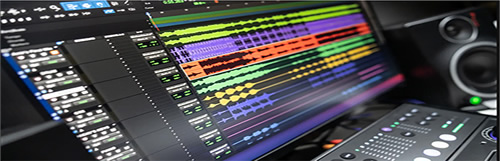
Sony VEGAS PRO 13.0 BUILD 444 For Win
Designed for complete creative control
Vegas™ Pro 13 is a contemporary NLE designed for complete creative control. New features include advanced archival tools, sophisticated audio metering, and the Vegas Pro Connect mobile iPad companion app. Vegas™ Pro 13 comes complete with DVD Architect™ Pro 6, Dolby® Digital Professional Encoder, and plug-in collections from FXHOME, NewBlueFX, and iZotope®.
Innovative editing tools
Edit SD, HD, 2K, and 4K material in 2D or stereoscopic 3D, with drag-and-drop functionality or traditional 3-point and 4-point editing modes. The Vegas Pro 13 interface provides an impressive array of innovative tools and thoughtful touches, with a fully customizable workspace for accomplishing a wide range of production tasks. Nest Vegas Pro projects within the timeline, customize and save keyboard commands, and use application scripting to automate repetitive tasks.
Powerful effects and compositing engines
Combine up to 32 high-quality, keyframeable effects per effects chain and apply them at the event, track, media, or project level. Vegas Pro 13 uses an advanced plug-in architecture based on the OpenFX standard to assure compatibility with hundreds of cutting-edge effects designed by leading video effects VFX developers. Parent/child tracks and 2D and 3D modes provide a powerful, flexible, and sophisticated compositing environment. Shape Masking tools and FX Masking make panning, cropping, and targeted effects treatments easy. The Color Match plug-in along with a wide range of other color-correction tools enable you to quickly match color characteristics from one clip to another.
Project interchange
Import and export a wide range of project files to and from Vegas Pro 13. Project Interchange can convert between native .veg files and AAF for Avid® ProTools®, XML for Apple® Final Cut Pro® 7, Final Cut Pro X (export only), DaVinci Resolve 10, and .prproj for Adobe® Premiere® Pro CC and After Effects® CC.
GPU acceleration
Working with OpenCL™ -supported devices from AMD, NVIDIA, and Intel, Vegas Pro 13 leverages GPU acceleration for video FX, transitions, compositing, pan/crop, track motion and encoding, providing a significantly faster workflow. GPU acceleration provides playback performance gains and faster rendering times to streamline the video editing experience in Vegas Pro 13¡ªideal for industry professionals who work on tight deadlines where every second counts.
Stereoscopic 3D editing
Create breathtaking stereoscopic 3D projects with the same ease and agility found in the Vegas Pro 2D workflow. Vegas Pro 13 provides the ability to easily import, adjust, edit, preview, and output stereoscopic 3D media¡ªall using industry-standard professional delivery formats including single or dual files with side-by-side, top/bottom, or line-alternate encoding. Anaglyphic monitoring and output are also supported. The 3D Link feature allows bulk pairing of stereoscopic 3D subclips on the timeline, with the ability to automatically pair stereoscopic 3D media from the Sony PMW-TD300 or a pair of PMW-F3 cameras.
Superior audio control
Use unlimited audio tracks, high-resolution 24-bit/192 kHz audio recording and playback, punch-in recording, 5.1 surround mixing, effects automation, and time compression/expansion. Shape your audio with customizable, real-time audio effects like EQ, reverb, delay, and more. Expand your audio processing and mixing options with supported third-party VST audio plug-ins. Vegas Pro 13 includes support for 64-bit versions of Sony Creative Software Noise Reduction 2.0, Wave Hammer, Acoustic Mirror, and more. Enjoy comprehensive mixdown functionality with full console capabilities.
New! Loudness meters
Open the new Loudness Meters and tweak your mixes to maximize audio dynamic range while you maintain consistent -23 LUFS Integrated levels and create EBU R-128/CALM Act compliant renders that will pass unattenuated through every stage of any contemporary broadcaster's signal path. The result: perfection, with your audio delivered to viewers in a state as dynamic and pristine as when it was rendered¡ªexactly as you intended¡ªregardless of playback system.
Broad format support
Vegas Pro pioneered the concept of format-native editing, and to continue that legacy, the latest version supports today's most popular camcorder formats including XAVC, XAVC S, XDCAM™, NXCAM, AVCHD, HDCAM SR™, DSLR h.264 QuickTime® and RED®, Panasonic P2 DVCPRO, and AVC-Intra. Encode your Vegas Pro Projects to HDCAM SR MXF files, for pristine-quality edit masters.
Powerful Blu-ray Disc authoring
Burn movies to Blu-ray Disc directly from the Vegas Pro 13 timeline or with the included DVD Architect Pro 6 where you can author DVD and Blu-ray Disc projects with subtitles, multiple languages, and numerous playback menus. Preview and test your work in real time. Import layered Photoshop® .PSD files for buttons and other graphical elements. The MainConcept AVC encoder supports variable bit rates up to 40 Mbps and average bit rate of 25 Mbps, for top-of-the-line HD quality.
What's new in Vegas Pro 13
Vegas Pro 13 takes giant steps toward making the total multimedia creation experience faster and easier than ever. In addition to technological advancements that span the production process from ingesting to editing to archiving, the Vegas Pro Connect iPad app provides several truly unique collaborative review process options that elevate client and team member participation to an entirely new level.
Vegas Pro Connect
To meet the collaboration challenge on video productions, Vegas Pro Connect replaces tedious written spreadsheets and notes with efficient online and offline review workflows. The app provides a comprehensive review system within a gesture-driven control surface and represents a genuine breakthrough in project collaboration and control.
Proxy-first workflow
Shoot XDCAM footage and use the Sony Wireless Adapter to send proxies to the cloud. Editors back at the shop can download and edit with the proxies while the high-resolution files are in transit from the field. When the high-resolution files arrive, automatically relink the edited project to them for rendering.
Project archiving
Archive all media associated with a project, or just the media used on the timeline, including nested Vegas Pro 13 projects.
XAVC Intra MXF smart render
Dramatically reduce render times when using XAVC Intra MXF render templates.
NewBlueFX Video Essentials VI
A NewBlueFX top seller, Video Essentials VI features 100 presets in 10 sophisticated plugins. Enhance your project with Chroma Key Pro, Color Replace, Cut Away, Garbage Matte, Picture Gird, Picture-in-shape, Saturation EQ, Saturation Modifier, Selective Touch UP, and Title. All of these great plugins utilize the OpenFX architecture.
iZotope Nectar Elements
The Nectar® Elements plug-in by iZotope® performs one-click voice/narration signal and effects processing. Load task-specific Style presets like Voice Over or Dialogue, and adjust dedicated controls such as Presence, Drive, and Grit to customize your sound. Nectar Elements makes vocal treatment a snap.
Loudness meters
Open the new Loudness Meters and tweak your mixes to maximize audio dynamic range while you maintain consistent -23 LUFS Integrated levels and create EBU R-128/CALM Act compliant renders that will pass unattenuated through every stage of any contemporary broadcaster's signal path. The result: perfection, with your audio delivered to viewers in a state as dynamic and pristine as when it was rendered¡ªexactly as you intended¡ªregardless of playback system.
Multi-tool paradigm
Frequently used tools are organized in a convenient pop-up menu located directly below the timeline to provide fast access for a more efficient editing workflow.
Technical Specifications
The Vegas Pro 13 collection provides integrated production environments designed for a new generation of creative professionals. Combining a familiar track-based timeline with hundreds of thoughtful innovations, Vegas Pro 13 offers a refreshingly modern, cost-effective approach to content creation. Supporting more formats and workflows than ever before, Vegas Pro 13 makes it easy to deliver your message and express your artistic vision.
Supported file formats
Opens:
AA3, AAF, AIF, ASF, AU, AVC, AVCHD, AVI, BMP, BWF, CDA, DIG, DLX, DPX, DV, EXR, FLAC, GIF, H.264, HDP, IVC, JPEG, M2T, M2TS, MVC, MOV, Sony MXF (XDCAM and HDCAM SR), MP3, MP4, M4A, MPEG-1 and MPEG-2 video, MPO, OGG, OMA, Panasonic MXF (DVCPRO, AVC-Intra) PCA, PNG, PSD, QT, R3D, SFA, SND, TIFF, TGA, VOX, W64, WAV, WDP, WMA, WMV, XAVC Intra MXF, XAVC S
Saves:
AA3, AC3, AIF, ATRAC, AVC, AVCHD, AVI, DPX, EXR, FLAC, H.264, HDP, MOV, MP3, MPEG-1 and MPEG-2 video, MP4, M2T, Sony MXF (XDCAM and HDCAM SR), MVC, OGG, Panasonic MXF (AVC-Intra), PCA, W64, WAV, WMA, WMV, XAVC Intra MXF, XAVC S
DVD Encoding:
Video: NTSC 4:3, NTSC Widescreen, PAL 4:3, PAL Widescreen
Audio: AC-3 5.1 or stereo, PCM
Blu-Ray Encoding:
Video: MPEG-2 or AVC, 1080-60i, 1080-50i and 1080-24p
Audio: AC-3 5.1 or stereo, PCM
System Requirements
-Windows® 7, 8, or 8.1 operating system (64-bit)
-2 GHz processor (multicore or multiprocessor CPU recommended for HD or stereoscopic 3D; 8 cores recommended for 4K)
-1 GB drive space for program installation
-SSD or high-speed multi-disk RAID for 4K media
-4 GB RAM (8 GB recommended; 16 GB recommended for 4K)
-OHCI-compatible IEEE-1394DV card (for DV and HDV capture and print-to-tape)
-USB 2.0 connection (for importing from AVCHD, XDCAM EX, NXCAM, or DVD camcorders)
-Windows-compatible sound card
-DVD-ROM drive (for installation from a DVD only)
-Supported CD-recordable drive (for CD burning only)
-Supported DVD-recordable drive (for DVD burning only)
-Supported BD-R/-RE drive (for Blu-ray Disc™ burning only)
-GPU-accelerated video processing and rendering requires an OpenCL™-supported NVIDIA®, AMD/ATI™, or Intel® GPU with 512MB memory; 1GB for 4K.
-Microsoft .NET Framework 4.0
-Apple® QuickTime® 7.1.6 or later for reading and writing QuickTime files
-Internet Connection (for Gracenote MusicID Service)
-You must provide registration information to Sony Creative Software Inc., a US company, in order to activate the software. Product requires online registration.
ÖÐÎÄ:
Éè¼ÆÓÃÓÚÍêÈ«µÄ´´ÔìÐÔ¿ØÖÆ
À˹ά¼Ó˹™Pro 13Êǵ±´úÓÐNLEΪÍêÕûµÄ´´Òâ¿ØÖƶøÉè¼ÆµÄ¡£ÐÂÌØÐÔ°üÀ¨ÏȽø¹éµµ¹¤¾ß,¸´ÔÓµÄÒôƵ²âÁ¿,ºÍÀ˹ά¼Ó˹ProÁ¬½ÓÒƶ¯iPad°éÂÂÓ¦Óá£À˹ά¼Ó˹™Pro 13ÅäÓÐDVD½¨Öþʦ™Pro 6,¶Å±È®ÊýÂëרҵµÄ±àÂëÆ÷,²¢´ÓFXHOME²å¼þ¼¯ºÏ,NewBlueFX,iZotope®¡£
´´Ðµı༹¤¾ß
±à¼SD,HD,2K,4K²ÄÖÊ2D»òÁ¢Ìå3D£¬¾ßÓÐÍϷŹ¦ÄÜ»ò´«Í³3µãºÍ4µã±à¼Ä£Ê½¡£Î¬¼Ó˹Pro 13½Ó¿ÚÌṩÁËһϵÁÐÁîÈËÓ¡ÏóÉî¿ÌµÄ´´Ð¹¤¾ßºÍÖܵ½µÄ´¥Ãþ£¬²¢ÌṩÁËÒ»¸öÍêÈ«¿É¶¨ÖƵŤ×÷¿Õ¼ä£¬ÒÔÍê³É¹ã·ºµÄÉú²úÈÎÎñ¡£Nest Vegas ProÏîÄ¿ÔÚʱ¼äÖáÉÏ£¬×Ô¶¨ÒåºÍ±£´æ¼üÅÌÃüÁ²¢Ê¹ÓÃÓ¦ÓóÌÐò½Å±¾À´×Ô¶¯Íê³ÉÖظ´µÄÈÎÎñ¡£
Ç¿´óµÄЧ¹ûºÍºÏ³ÉÒýÇæ
½áºÏ32¸ö¸ßÖÊÁ¿µÄ£¬¹Ø¼üÖ¡µÄЧ¹ûÿ¸öЧӦÁ´£¬²¢Ó¦ÓÃÓÚʼþ£¬¸ú×Ù£¬Ã½Ì壬»òÏîÄ¿¼¶±ð¡£Î¬¼Ó˹Pro 13ʹÓÃÒ»ÖÖ»ùÓÚOpenFX±ê×¼µÄ¸ß¼¶²å¼þ¼Ü¹¹£¬ÒÔÈ·±£ÓëÁìÏÈÊÓƵÌØЧVFX¿ª·¢ÈËÔ±Éè¼ÆµÄÊý°ÙÖÖÇ°ÑØЧ¹ûµÄ¼æÈÝÐÔ¡£¸¸/×Ó¹ìµÀºÍ2DºÍ3DģʽÌṩÁËÇ¿´óµÄ¡¢Áé»îµÄºÍ¸´Ôӵĸ´ºÏ»·¾³¡£ÐÎ×´Ñڱι¤¾ßºÍFXÑÚ±Îʹpanning£¬²Ã¼ô£¬ºÍÓÐÕë¶ÔÐÔµÄЧ¹û´¦ÀíÈÝÒס£ÑÕÉ«Æ¥Åä²å¼þºÍÆäËûÑÕɫУÕý¹¤¾ß£¬Ê¹ÄúÄÜ¿ìËÙµØÆ¥ÅäÑÕÉ«ÌØÕ÷´ÓÒ»¸ö¼ô¼µ½ÁíÒ»¸ö¼ô¼¡£
ÏîÄ¿½»»»
µ¼ÈëºÍµ¼³ö¹ã·ºµÄÏîÄ¿Îļþµ½ºÍÀ´×Ôά¼Ó˹רҵ13¡£ÏîÄ¿½»»»¿ÉÒÔÔÚ±¾»úÖ®¼ä½øÐÐת»»¡£Ê߲˶ÔÓÚÈÈÐÄ®ÎļþºÍ¿Õ¾üÁª¶ÓProTools®,XMLΪƻ¹û®Final Cut Pro®7,Final Cut Pro X(½öÏÞ³ö¿Ú),´ï·ÒÆæ½â¾ö10,¡£prprojΪAdobe®®Ê×ӳʽCC®CCºÍÖ®ºóµÄÓ°Ïì¡£
GPU¼ÓËÙ
ʹÓÃOpenCL™Ö§³ÖÉ豸´ÓAMD,Ӣΰ´ï,Ó¢Ìضû,À˹ά¼Ó˹Pro 13ÀûÓÃGPU¼ÓËÙÊÓƵFX,¹ý¶É,ºÏ³É,pan /×÷Îï,¸ú×ÙÔ˶¯ºÍ±àÂë,Ìṩ¸ü¿ìµÄ¹¤×÷Á÷¡£GPU¼ÓËÙÌṩÁ˻طÅÐÔÄܵÄÌáÉýºÍ¸ü¿ìµÄäÖȾʱ¼ä£¬ÒÔ¼ò»¯Î¬¼Ó˹רҵÈËÔ±µÄÊÓƵ±à¼¾Ñ飬¶ÔÓÚÄÇЩÔÚÿһÃ붼ºÜÖØÒªµÄ½ôÆȵÄ×îºóÆÚÏÞ¹¤×÷µÄÐÐҵרҵÈËÊ¿À´Ëµ¡£
Á¢ÌåÈýά±à¼
´´½¨ÁîÈ˾ªÌ¾µÄÁ¢Ìå3DÏîÄ¿£¬ÔÚά¼Ó˹Pro 2D¹¤×÷Á÷Öз¢ÏÖÁËͬÑùµÄÁé»îÐÔºÍÃô½ÝÐÔ¡£Î¬¼Ó˹Pro 13ÌṩÁËÇáËɵ¼Èë¡¢µ÷Õû¡¢±à¼¡¢Ô¤ÀÀºÍÊä³öÁ¢ÌåÈýάýÌåµÄÄÜÁ¦£¬ËùÓÐÕâЩ¶¼Ê¹ÓÃÐÐÒµ±ê×¼µÄרҵ½»¸¶¸ñʽ£¬°üÀ¨µ¥»òË«Îļþ£¬²¢ÅÅ¡¢¶¥²¿/µ×²¿»òÐн»Ìæ±àÂë¡£»¹Ö§³ÖÁËanaglyUNKµÄ¼à²âºÍÊä³ö¡£3DÁ´½Ó¹¦ÄÜÔÊÐíÔÚʱ¼äÖáÉ϶ÔÁ¢Ìå3D×Ó¼ô¼½øÐÐÅúÁ¿Åä¶Ô£¬²¢ÄÜ´ÓË÷Äápmw - td300»òÒ»¶Ôpmw - f3ÉãÏñ»ú×Ô¶¯Åä¶ÔÁ¢Ìå3DýÌå¡£
¸ß¼¶ÒôƵ¿ØÖÆ
ʹÓÃÎÞÏÞµÄÒôƵ¹ìµÀ£¬¸ß·Ö±æÂʵÄ24λ/ 192 kHzÒôƵ¼Öƺͻطţ¬punch - in¼Òô£¬5.1»·ÈÆ»ìºÏ£¬Ð§¹û×Ô¶¯»¯£¬ºÍʱ¼äѹËõ/À©Õ¹¡£Ê¹Óÿɶ¨ÖƵÄʵʱÒôƵЧ¹û£¬ÈçEQ,reverb,delay£¬µÈµÈ¡£À©Õ¹ÄúµÄÒôƵ´¦ÀíºÍ»ìºÏÑ¡ÏîÓëÖ§³ÖµÄµÚÈý·½VSTÒôƵ²å¼þ¡£Î¬¼Ó˹Pro 13°üÀ¨Ö§³Ö64λ°æ±¾µÄË÷Äá´´ÒâÈí¼þ¼õÔë2.0¡¢²¨´¸¡¢Éù¾µµÈ¡£ÏíÊÜÈ«ÃæµÄ»ìºÏ¹¦ÄܺÍÍêÕûµÄ¿ØÖÆ̨¹¦ÄÜ¡£
ÐÂ!Ïì¶ÈÃ×
´ò¿ªÐµÄÒôÁ¿µç±í£¬µ÷ÕûÄãµÄ»ìºÏ£¬ÒÔ×î´ó»¯ÒôƵ¶¯Ì¬·¶Î§£¬Í¬Ê±±£³ÖÒ»ÖµÄ- 23 LUFS¼¯³É¼¶±ð£¬²¢´´½¨EBU r - 128 /ƽ¾²µÄÐÐΪ£¬Õ⽫ͨ¹ýÈκÎÏÖ´ú¹ã²¥µÄÐźÅ·¾¶µÄÿһ¸ö½×¶ÎÀ´´«µÝ¡£Æä½á¹ûÊÇ:ÍêÃÀ£¬ÄãµÄÒôƵÔÚÒ»¸ö¶¯Ì¬ºÍÔʼµÄ״̬Ï´«Ë͸ø¹ÛÖÚ£¬¾ÍÏñËü±»äÖȾʱһÑù¡ª¡ªÍêÈ«ÊÇÄãµÄÒâͼ¡ª¡ª²»¹Ü»Ø·ÅϵͳÊÇʲô¡£
¹ã·ºµÄ¸ñʽ֧³Ö
À˹ά¼Ó˹Pro¿ª´´format-native±à¼µÄ¸ÅÄî,ºÍ¼ÌÐøÒŲú,×îа汾֧³Öµ±½ñ×îÁ÷ÐеÄÉãÏñ»ú¸ñʽ°üÀ¨XAVC XAVCÄê´ú,XDCAM™,NXCAM,AVCHD HDCAM SR™,ÊýÂëµ¥·´Ïà»úh¡£264ÄêQuickTime®ºÍºì®,ËÉÏÂP2 DVCPRO,AVC-Intra¡£½«ÄãµÄά¼Ó˹ProÏîÄ¿±àÂëΪHDCAM SR MXFÎļþ£¬Îªpristine - quality±à¼´óʦ¡£
Ç¿´óµÄÀ¶¹â¹âÅÌ´´×÷
Ö±½Ó´Óά¼Ó˹Pro 13µÄʱ¼ä±í»ò°üÀ¨DVD¼Ü¹¹Ê¦Pro 6µÄÀ¶¹â¹âÅÌ£¬Äã¿ÉÒÔÔÚÄÇÀï±àдDVDºÍÀ¶¹â¹âÅÌÏîÄ¿£¬ÓÐ×ÖÄ»£¬¶àÖÖÓïÑÔ£¬ºÍÖÚ¶àµÄ»Ø·Å²Ëµ¥¡£ÊµÊ±Ô¤ÀÀºÍ²âÊÔÄúµÄ¹¤×÷¡£½ø¿Ú·Ö²ãPhotoshop®¡£
PSDÎļþÓÃÓÚ°´Å¥ºÍÆäËûͼÐÎÔªËØ¡£
Ö÷¸ÅÄîAVC±àÂëÆ÷Ö§³ÖµÄ¿É±ä±ÈÌØÂʸߴï40 Mbps£¬Æ½¾ù±ÈÌØÂÊΪ25 Mbps£¬×î¸ßµÄ¸ßÇåÖÊÁ¿¡£
ά¼Ó˹µÄÐÂÖ°ÒµÊÇʲô
ά¼Ó˹Pro 13²ÉÈ¡Á˾޴óµÄ²½Ö裬ʹ¶àýÌå´´×÷µÄÌåÑé±ÈÒÔÍù¸ü¿ì¡¢¸üÈÝÒס£³ýÁ˼¼ÊõÉϵĽø²½£¬´ÓÏû»¯µ½±à¼µ½´æµµ£¬Î¬¼Ó˹Pro Connect iPadÓ¦ÓóÌÐòÌṩÁ˼¸¸öÕæÕý¶ÀÌصÄÐͬÉó²é¹ý³ÌÑ¡Ï½«¿Í»§ºÍÍŶӳÉÔ±µÄ²ÎÓëÌáÉýµ½Ò»¸öȫеÄˮƽ¡£
À˹ά¼Ó˹ProÁ¬½Ó
ΪÁËÓ½ÓÊÓƵÖÆ×÷µÄºÏ×÷ÌôÕ½£¬Î¬¼Ó˹Pro ConnectÓøßЧµÄÔÚÏߺÍÀëÏßÆÀÂÛ¹¤×÷Á÷È¡´úÁË·¦Î¶µÄÊéÃæµç×Ó±í¸ñºÍ±Ê¼Ç¡£¸ÃÓ¦ÓóÌÐòÔÚÒ»¸öÊÖÊÆÇý¶¯µÄ¿ØÖƱíÃæÉÏÌṩÁËÒ»¸öÍêÕûµÄÉó²éϵͳ£¬²¢´ú±íÁËÏîÄ¿Ð×÷ºÍ¿ØÖƵÄÕæÕýÍ»ÆÆ¡£
Proxy-first¹¤×÷Á÷
ÅÄÉãXDCAMÊÓƵ£¬²¢Ê¹ÓÃË÷ÄáÎÞÏßÊÊÅäÆ÷½«´úÀí·¢Ë͵½ÔÆ¡£ÔÚÉ̵êÀïµÄ±à¼¿ÉÒÔÏÂÔز¢±à¼´úÀí£¬¶ø¸ß·Ö±æÂʵÄÎļþÔòÊÇÔÚÍâµØ´«Ë͵ġ£µ±¸ß·Ö±æÂʵÄÎļþµ½´ïʱ£¬×Ô¶¯½«±à¼µÄÏîÄ¿ÖØÐÂÁ´½Óµ½ËûÃǵÄäÖȾ¡£
ÏîÄ¿¹éµµ
´æµµËùÓÐÓëÏîÄ¿Ïà¹ØµÄýÌ壬»òÕßÖ»ÊÇʱ¼äÖáÉÏʹÓõÄýÌ壬°üÀ¨Ç¶Ì×µÄVegas Pro 13ÏîÄ¿¡£
XAVC Intra MXFÖÇÄÜäÖȾ
ÔÚʹÓÃXAVC Intra MXF³ÊÏÖÄ£°åʱÏÔÖø¼õÉÙäÖȾʱ¼ä¡£
NewBlueFXÊÓƵ±ØÐèÆ·ÁùÊÀ
Ò»¸öеÄbluefx¶¥¼¶Âô¼Ò£¬ÊÓƵҪµãVIµÄÌصãÊÇÔÚ10¸ö¸´ÔӵIJå¼þÖÐÉèÖÃ100¸öÔ¤ÉèÖµ¡£ÓÃChroma¼üPro¡¢Color Replace¡¢Cut Away¡¢Garbage Matte¡¢Picture Gird¡¢picUNK -in- shape¡¢±¥ºÍ¶ÈEQ¡¢±¥ºÍ¶ÈÐÞ¸ÄÆ÷¡¢Ñ¡ÔñÐÔÐÞÊκÍTitleÀ´ÔöÇ¿ÄãµÄÏîÄ¿¡£ËùÓÐÕâЩΰ´óµÄ²å¼þ¶¼ÀûÓÃÁËOpenFX¼Ü¹¹¡£
iZotope»¨ÃÛÔªËØ
»¨ÃÛ®ÔªËزå¼þiZotope®Ö´ÐÐÒ»¼ü/ÐðÊöÉùÒôÐźźÍЧ¹û´¦Àí¡£¼ÓÔØÌض¨ÓÚÈÎÎñµÄÑùʽԤÉ裬ÈçÓïÒô»ò¶Ô»°£¬²¢µ÷ÕûרÓÿؼþ£¬Èç´æÔÚ¡¢Çý¶¯ºÍɳÀùÀ´¶¨ÖÆÄãµÄÉùÒô¡£»¨ÃÛÔªËØʹÉùÀÖ´¦ÀíѸËÙ¡£
Ïì¶ÈÃ×
´ò¿ªÐµÄÒôÁ¿µç±í£¬µ÷ÕûÄãµÄ»ìºÏ£¬ÒÔ×î´ó»¯ÒôƵ¶¯Ì¬·¶Î§£¬Í¬Ê±±£³ÖÒ»ÖµÄ- 23 LUFS¼¯³É¼¶±ð£¬²¢´´½¨EBU r -128 /ƽ¾²µÄÐÐΪ£¬Õ⽫ͨ¹ýÈκÎÏÖ´ú¹ã²¥µÄÐźÅ·¾¶µÄÿһ¸ö½×¶ÎÀ´´«µÝ¡£Æä½á¹ûÊÇ:ÍêÃÀ£¬ÄãµÄÒôƵÔÚÒ»¸ö¶¯Ì¬ºÍÔʼµÄ״̬Ï´«Ë͸ø¹ÛÖÚ£¬¾ÍÏñËü±»äÖȾʱһÑù¡ª¡ªÍêÈ«ÊÇÄãµÄÒâͼ¡ª¡ª²»¹Ü»Ø·ÅϵͳÊÇʲô¡£
¶àµ¶·¶Ê½
¾³£Ê¹ÓõŤ¾ßÊÇÔÚÒ»¸ö·½±ãµÄµ¯³ö²Ëµ¥ÖÐ×éÖ¯µÄ£¬ËüλÓÚʱ¼äÏßµÄÏ·½£¬Îª¸üÓÐЧµÄ±à¼¹¤×÷Á÷Ìṩ¿ìËÙ·ÃÎÊ¡£
¼¼Êõ¹æ¸ñ
ά¼Ó˹Pro 13ϵÁÐÌṩÁËΪÐÂÒ»´ú´´ÒâרҵÈËÊ¿Éè¼ÆµÄ¼¯³ÉÉú²ú»·¾³¡£½áºÏÁËÒ»¸öÊìϤµÄ»ùÓڹ켣µÄʱ¼äÖáºÍÊý°Ù¸ö¾¹ýÉî˼ÊìÂǵĴ´Ð£¬Î¬¼Ó˹Pro 13ÌṩÁËÒ»¸öÁîÈ˶úĿһеÄÏÖ´úµÄ¡¢ÐԼ۱ȸߵÄÄÚÈÝ´´½¨·½·¨¡£Ö§³Ö¸ü¶àµÄ¸ñʽºÍ¹¤×÷Á÷³Ì±ÈÒÔÍùÈκÎʱºò¶¼Òª¶à£¬Î¬¼Ó˹Pro 13¿ÉÒÔºÜÈÝÒ׵ش«´ïÄãµÄÐÅÏ¢²¢±í´ïÄãµÄÒÕÊõÊÓÒ°¡£
Ö§³ÖÎļþ¸ñʽ
´ò¿ª:
AA3,AAF,AIF,ASF,AU,AVC,AVCHD,AVI,BMP,BWF,CDA,DIG,DLX,DPX,DV,EXR,FLAC,GIF,H¡£264¡¢HDP¡¢IVC¡¢JPEG¡¢M2T¡¢M2T¡¢MVC¡¢MOV¡¢Sony MXF(XDCAMºÍHDCAM SR)¡¢MP3¡¢MP4¡¢M4A¡¢mpeg - 1¡¢mpeg - 2ÊÓƵ¡¢MPO¡¢OGG¡¢OMA¡¢MXF(DVCPRO¡¢avc - Intra)PCA¡¢PNG¡¢PSD¡¢PSD¡¢QT¡¢R3D¡¢SFA¡¢SFA¡¢TIFF¡¢TGA¡¢VOX¡¢WAV¡¢WAV¡¢WMA¡¢WMA¡¢WMV¡¢XAVC Intra MXF¡¢XAVC S
±£´æ:
AA3,AC3,AIF,ATRAC,AVC,AVCHD,AVI,DPX,EXR,FLAC,H¡£264¡¢HDP¡¢MOV¡¢MP3¡¢mpeg - 1¡¢mpeg - 2ÊÓƵ¡¢MP4¡¢M2T¡¢Sony MXF(XDCAMºÍHDCAM SR)¡¢MVC¡¢OGG¡¢ËÉÏÂMXF(avc - Intra)¡¢PCA¡¢W64¡¢WAV¡¢WMA¡¢WMV¡¢XAVC Intra MXF¡¢XAVC S
DVD±àÂë:
ÊÓƵ:NTSC 4:3,NTSC¿íÆÁ£¬PAL 4:3,PAL¿íÆÁ
ÒôƵ:ac -3 5.1»òÁ¢ÌåÉù£¬PCM
À¶¹â±àÂë:
ÊÓƵ:mpeg - 2»òAVC,1080 - 60i,1080 - 50iºÍ1080 -24p
ÒôƵ:ac -3 5.1»òÁ¢ÌåÉù£¬PCM
ϵͳҪÇó
windows®7,8,»ò8.1²Ù×÷ϵͳ(64λ)
-2 GHz´¦ÀíÆ÷(¸ßÇå»òÁ¢Ìå3DµÄ¶àºË»ò¶à´¦ÀíÆ÷CPU);8о½¨Òé4K)
-1 GBÇý¶¯Æ÷¿Õ¼äÓÃÓÚ³ÌÐò°²×°
- ssd»ò¸ßËÙ¶à´ÅÅ̹¥»÷4KýÌå
-4 GB RAM(ÍƼö8 GB);16gbÍƼö4K)
- ohci¼æÈݵÄieee - 1394dv¿¨(ÓÃÓÚDVºÍHDV²¶»ñºÍ´òÓ¡µ½´Å´ø)
- usb 2.0Á¬½Ó(´ÓAVCHD¡¢XDCAM EX¡¢NXCAM»òDVD camcorders)
-Windows-compatibleÉù¿¨
- DVD - romÇý¶¯Æ÷(Ö»´ÓDVD°²×°)
-Ö§³ÖµÄCD¿Ì¼Çý¶¯Æ÷(Ö»ÊÊÓÃÓÚ¹âµúÉÕ¼)
-Ö§³ÖDVD¿Ì¼Çý¶¯Æ÷(Ö»ÓÃÓÚDVD¿Ì¼)
Ö§³ÖBD-R / reÇý¶¯Æ÷(blu - ray¹âÅ̙ȼÉÕ)
-GPU-acceleratedÊÓƵ´¦ÀíºÍäÖȾÐèÒªÒ»¸öOpenCL™Ö§³ÖNVIDIA®,AMD / ATI™»òÓ¢Ìضû®GPU 512 mbÄÚ´æ;Ϊ4 k 1 gb¡£
΢Èí¡£¾»¿ò¼Ü4.0
-Æ»¹û®QuickTime®7.1.6¶ÁдQuickTimeÎļþ»ò¸ü¸ß°æ±¾
-»¥ÁªÍøÁ¬½Ó(ΪGracenote MusicID·þÎñ)
-Äã±ØÐëÏòÃÀ¹úË÷Äá´´ÒâÈí¼þ¹«Ë¾(Sony Creative Software Inc .)Ìṩע²áÐÅÏ¢£¬ÒÔ¼¤»î¸ÃÈí¼þ¡£²úÆ·ÐèÒªÔÚÏß×¢²á¡£


Sony VEGAS PRO 13.0 BUILD 444 For Win
ÏÂÔصØÖ·£ºÓοͣ¬Èç¹ûÄúÒª²é¿´±¾ÌûÒþ²ØÄÚÈÝÇë »Ø¸´ |






 »Ø¸´