Hit¡¯n¡¯Mix RipX DeepAudioÒôƵ·ÖÀ빤¾ß
¼â¶ËµÄÒôƵ´¦ÀíÈí¼þ£¬Ê¹ÓÃÊÀ½çÁìÏ鵀 AI ÒôƵ·ÖÀë¼¼Êõ£¬´ÓÈ«»ìºÏÁ¢ÌåÉù MP3¡¢WAV¡¢FLAC ºÍÆäËûÎļþ¸ñʽÖÐ׼ȷ¸ôÀëÈËÉù¡¢¹Ä¡¢±´Ë¾¡¢¼ªËû¡¢¼üÅÌ¡¢ÔëÒô¡¢ÒôЧºÍÆäËû²ã¡£
DeepAudio Ϊ DeepRemix ¹¤×÷Á÷³ÌÌí¼ÓÁËÏȽøµÄ´Ê¸ÉÇåÀí¹¤¾ß£¬Òò´ËÄú¿ÉÒÔ´´½¨×î¸ßÖÊÁ¿µÄ·ÖÀëÒôƵ¡£´ËÍ⣬»¹¿ÉÒÔÖ´ÐÐÒÔϲÙ×÷ÒÔ¼°¸ü¶à²Ù×÷£º
ʹÓÃÂÅ»ñÊâÈÙµÄ Audioshop® ¹¤¾ß¿ìËÙÇáËɵØÐÞ¸´ºÍÇåÀí¼Òô
µ÷ÕûÒôÉ«¡¢Òô¸ßºÍʱ¼ä
ÓëÓÐÒôµ÷µÄÉùÒô·Ö¿ª±à¼ÎÞÒôµ÷µÄÒôƵ£¨°üÀ¨ÔëÒô£©
µ¼³ö´ó¶àÊýÒôƵÎļþ¸ñʽ£¬ÉõÖÁ MIDI
¶ÀÁ¢¹¤×÷»òÓëÄúµÄ DAW Ò»Æð¹¤×÷

ÔÚ¹¦ÄÜÇ¿´óÇÒÒ×ÓÚʹÓõĵ¥»÷ºÍÍ϶¯½çÃæÖÐÌåÑé¶ÔÒô·û¡¢Ð³²¨ºÍÎÞÒôµ÷µÄÉùÒôµÄÇ°ËùδÓеĿØÖÆ¡£
Ç¿´ó¶ø¿ìËٵص÷ÕûÒô¸ß¡¢Ê±¼äÀÉì¡¢¸´ÖƺÍÕ³Ìùµ¥¸ö»òÒ»×éÒô·û¡¢ßÐßÐÉùºÍÎÞÒôµ÷µÄÉùÒô¡£
±à¼ Unpitched ¹¤¾ßÏÔʾ´Ó¶¥²¿µ½µ×²¿·Ö²¼ÔÚÕû¸ö Rip ÉϵÄËùÓÐδÇãбÉùÒô¡£µ¥»÷²¢Í϶¯ÒÔÑ¡ÔñÎÞÒôµ÷µÄÉùÒôÇøÓò²¢¶ÔÆä½øÐб༡£
ʹÓà Draw Sound ¹¤¾ß½«Òô·û¡¢¹ÄºÍÑù±¾»æÖƵ½ÄúµÄ rip ÉÏ¡£
ʹÓòð·Ö¹¤¾ß½«±Ê¼Ç¼ôÇгɶà¸ö²¿·ÖÒÔ½øÐнøÒ»²½±à¼¡£
ʹÓÃÁ¬½Ó¹¤¾ß½«±Ê¼ÇÆ´´ÕÔÚÒ»Æð£¬ÒÔ±ãÄú¿ÉÒÔ×÷Ϊһ¸öÕûÌå½øÐб༡£
ʹÓÃÌæ»»ÉùÒô¹¤¾ß¿ìËÙ¸ü¸ÄÑÝ×àÒô·ûµÄÀÖÆ÷£¬ÀýÈç´ÓÈËÉùµ½¼ªËû¡£
¿Ë¡ÌØÐÔ£¬ÀýÈçÒô¸ß±ä»¯£¨ÀýÈç²üÒô£©¡¢ÉùÒô£¨´øÒôÁ¿µÄÒôÉ«£©ºÍ´ÓÒ»¸öÒô·ûµ½ÁíÒ»¸öÒô·ûµÄƽÒÆ£¬ÀýÈçʹÓÿË¡¹¤¾ß¸´ÖÆÕæʵÀÖÆ÷ÑÝ×àÕßµÄÑÝ×à·ç¸ñ¡£
ʹÓà Draw Pitch ¹¤¾ß£¬Ö»Ðèµ¥»÷ºÍÍ϶¯¼´¿É½øÐо«Ï¸µÄÒô¸ßµ÷ÕûºÍ»ÃµÆƬ¡£
ʹÓÃÓ¦ÓÃģʽ¹¤¾ß½«Òô¸ß¡¢¹²Õñ·å¡¢ÒôÁ¿ºÍÉùÏàµÄ²¨¶¯Ìí¼Óµ½Òô·û¡£
ʹÓÃƽ»¬ÇøÓò¹¤¾ß£¬Í¨¹ýµ¥»÷²¢Í϶¯Òô·û½«Òô¸ß¡¢¹²Õñ·å¡¢ÒôÉ«¡¢ÒôÁ¿ºÍ/»òÁ¢ÌåÉùÉùÏà»ìºÏÔÚÒ»Æð¡£
г²¨±à¼Æ÷
Õâ²»ÊÇƵÆ×±à¼Æ÷¡ª¡ªÕâЩÊÇÃèÊöÒô·ûÉùÒôµÄʵ¼Êг²¨£¬Ð³²¨±à¼Æ÷ÔÊÐíÍêÈ«¿ØÖÆËüÃÇ¡£
·Ç³£ÊʺÏÏû³ýÔëÒô¡¢µ÷ÕûÒôÉ«ºÍ´´ÔìÓÐȤµÄÐÂÉùÒô¡£
Çå½àºÍÐÞ¸´ÒôƵ
ÏÖ³¡ÒôƵÐÞ¸´ºÍÇåÀí¹¦ÄÜ£¬ÓÃÓÚÏû³ý±³¾°ÔëÒô¡¢ÏÞÖÆÇ°¾°Î±Ó°¡¢¼õÉÙÒôµ÷ºÍÎËÎËÉù£¬ÒÔ¼°¾»»¯ÓÐÒôµ÷ºÍÎÞÒôµ÷µÄÉùÒô¡£
µ÷ÕûÒô·ûÖеķºÒôˮƽ£¬ÉõÖÁÖØÐÂÉú³É»ù±¾Ð³²¨£¬ÒÔ»Ö¸´ÔÚ»ìÒôºÍĸ´ø´¦Àí¹ý³ÌÖжªÊ§µÄÈËÉùºÍÀÖÆ÷ÖеĵÍÒô¡£
ʹÓøü¶à¹¤¾ß´¦ÀíÒôƵ
DeepAudio ±à¼¹¦Äܲ»½öÏÞÓÚ´Ë£¬»¹°üÀ¨ÒôƵ´¦Àí¹¤¾ß£¬ÀýÈç Chord Creator¡¢Infinity Scale¡¢Inharmonicity ºÍ Beat¡¢Panning¡¢Pitch ºÍ Volume Mappers¡£
DAW ¼¯³É
ProTools ºÍÁìÏÈ DAW µÄ²å¼þ
´ó¶àÊýÁìÏ鵀 DAW ¶¼¿ÉÒÔ´ò¿ªÒôƵ¼ô¼ÒÔʹÓà DeepAudio ½øÐб༡£°²×°ÁË RipLink ²å¼þ£¬ÒÔ±ã¿ÉÒÔÔÚÖ§³Ö VST3 ºÍ ARA2 µÄ Pro Tools ºÍ DAW ÖÐʹÓÃËü£¬°üÀ¨ Studio One¡¢Cubase¡¢Reaper ºÍ Cakewalk¡£
Ableton Live¡¢Logic Pro X¡¢FL Studio¡¢ACID Pro¡¢Digital Performer ºÍ Mixcraft Óû§¿ÉÒÔ½« RipX DeepAudio ÉèÖÃΪÍⲿÑù±¾±à¼Æ÷£¬»òÕßʹÓÃÒ»°ãµÄÒôƵµ¼ÈëºÍµ¼³ö·½·¨¡£
RipScripts ¨C ´´½¨Äú×Ô¼ºµÄÇ¿´ó¹¤¾ß
ΪÁËʵÏÖÖÕ¼«µÄÒôƵ´¦Àí£¬DeepAudio Ö§³ÖÓà Python ±à³ÌÓïÑÔ±àдµÄ RipScript£¬ÉõÖÁ»¹°üÀ¨Ò»¸öÌØÊâµÄ±à¼Æ÷¡£
Äú²»½ö¿ÉÒÔ´´½¨¾ßÓÐ×Ô¼º UI µÄ¹¤¾ß£¬RipScripts »¹¿ÉÒÔ·ÃÎʺͿØÖÆÉùÒôµÄºËÐĹ¹½¨¿é£¬ÀýÈçÒô·û¡¢Ð³²¨¡¢·ù¶ÈºÍƵÂÊ¡£
ÊÂʵÉÏ£¬ÉÏÊö Audioshop ºÍ Harmonic Editor ¹¦ÄܾÍÊÇ RipScripts¡£
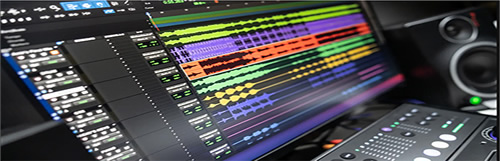
Cutting-edge audio manipulation software that accurately isolates voice, drums, bass, guitar, keyboard, noise, sound effects and other layers from full-mix stereo MP3s, WAVs, FLACs and other file formats, using world-leading AI audio separation.
DeepAudio adds advanced stem clean-up tools to the DeepRemix workflow, so you can create the highest quality separated audio. Plus, do the following, and much more:
Fix & clean up recordings quickly and easily with the award-winning Audioshop® tools
Adjust timbre, pitch & timing
Edit unpitched audio (including noise) separately from pitched sounds
Export most audio file formats, even MIDI
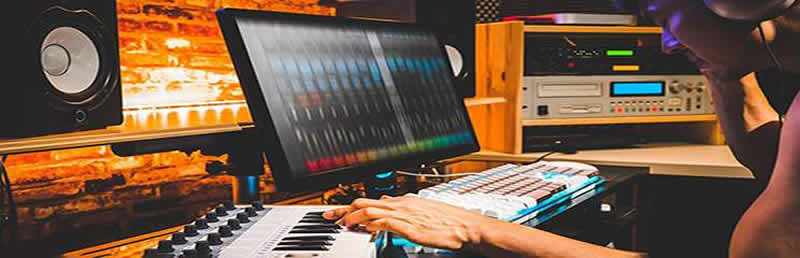
Work standalone or with your DAW
Experience unprecedented control over notes, harmonics and unpitched sound, all in a powerful and easy-to-use click & drag interface.
Powerfully & quickly adjust pitch, time-stretch, copy and paste individual or groups of notes, sibilants and unpitched sounds.
Edit Unpitched tool displays all unpitched sound spread over the entire Rip, from its top to its bottom. Click & drag to select a region of unpitched sound and edit it.
Draw notes, drums and samples onto your rip with the Draw Sound tool.
Use the Split tool to cut notes into sections for further editing.
Piece together notes so you can edit as one, with the Join tool.
Quickly change the instrument playing notes, say from vocal to guitar, using the Replace Sound tool.
Clone characteristics such as pitch variation (e.g. vibrato), sound (timbre with volume) & panning from one note to another, for example to duplicate a real instrumentalist¡¯s playing style, with the Clone tool.
Make fine pitch adjustments and slides simply by clicking and dragging, with the Draw Pitch tool.
Add fluctuations in pitch, formant, volume, and panning to notes, using the Apply Pattern tool.
Blend together the pitch, formant, timbre, volume and/or stereo panning of notes by clicking & dragging over them, with the Smooth Region tool.
Harmonic Editor
This is no spectrum editor ¨C these are the actual harmonics that describe the sound of a note, and Harmonic Editor allows complete control over them.
Perfect for removing noise, adjusting timbre and creating interesting new sounds.
Clean & Repair Audio
Live audio repair and clean-up features for removing background noise, limiting foreground artifacts, reducing tones & hum, and purifying pitched and unpitched sounds.
Adjust overtone levels in notes and even regenerate fundamental harmonics, to bring back bass presence in vocals and instruments, lost during mixing & mastering.
Manipulate Audio With Even More Tools
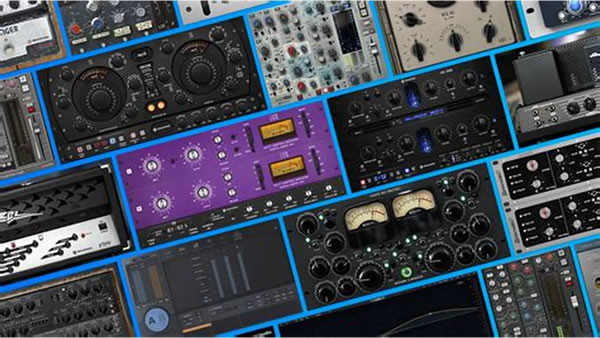
DeepAudio editing features don¡¯t stop there, and include audio manipulation tools such as Chord Creator, Infinity Scale, Inharmonicity and the Beat, Panning, Pitch and Volume Mappers.
DAW Integration
Plug-in for ProTools and leading DAWs
Most leading DAWs can open audio clips for editing with DeepAudio. RipLink plug-ins are installed so that it can be used from Pro Tools and DAWs that support VST3 & ARA2, including Studio One, Cubase, Reaper & Cakewalk.
Ableton Live, Logic Pro X, FL Studio, ACID Pro, Digital Performer & Mixcraft users can set RipX DeepAudio as the external sample editor, or by using general audio import and export methods.
RipScripts ¨C Create Your Own Powerful Tools
For the ultimate in audio manipulation, DeepAudio supports RipScripts written in the Python programming language, and even includes a special editor.
Not only can you create a tool with its own UI, RipScripts have access to and control over the core building blocks of sound, such as notes, harmonics, amplitude and frequency.
In fact, the Audioshop and Harmonic Editor features described above are RipScripts.
https://hitnmix.com/audio-manipulation/ |