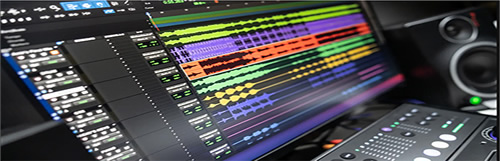
Steinberg Cubase Elements v11.0.30 eXTended WiN
Cubase Elements »¶ÓÄúÀ´µ½ Cubase µÄÊÀ½ç£¬ËüÌṩÁËÒ»¸öÁ÷ÏßÐ͵ÄÒôÀÖÖÆ×÷»·¾³£¬ÆäÖаüº¬Ðí¶à¹¦ÄÜ£¬¿ÉÒÔ°ïÖúÄúץסÒôÀÖ´´ÔìÁ¦±¬·¢µÄʱ¿Ì¡£ Cubase Elements Óë Cubase ¼Ò×åÖнϴóµÄÐֵܽãÃþßÓÐÏàͬµÄÔʼÒôƵÖÊÁ¿£¬ÎªÖ±¹ÛµÄ¸èÇú´´×÷¡¢Â¼ÒôÊÒ¼¶Â¼ÒôºÍÍê³É»ìÒôÌṩÁËÍêÃÀµÄÆðµã¡£ÄúÏ뽫ÄúµÄÉùÒôÌáÉýµ½Ò»¸öеÄˮƽÂ𣿠Cubase Elements ÊÇÄúµÄÏÂÒ»²½¡£
¸ú×ÅÁ÷³Ì×ß
Cubase Elements ¿ÉÒÔ¸úÉÏÄúµÄÏë·¨Á÷¶¯µÄ²½·¥¡£ÎÞÂÛÄúÊÇҪ¼ÖÆÀÖÆ÷ºÍÈËÉù£¬»¹ÊÇÒª±àд×îÇ°ÑصĽÚÅÄ£¬Äú¶¼¿ÉÒÔÔÚ Cubase Elements ÖÐÕÒµ½ËùÓд´Ò⹤¾ßºÍ¹¦ÄÜ£¬ÕâЩ¹¤¾ßºÍ¹¦Äܽ«È·±£¹¤×÷Á÷³Ì¸ßЧÇÒÓÐÒ档ʹÓÃרҵºÍ¾«È·µÄ±à¼ºÍ»ìÒô¹¦ÄܸĽøÄúµÄÒô¹ì£¬²¢Ê¹Óü¯³É MixConsole ÖÐÒ»Á÷µÄͨµÀÌõÀ´ÍêÉÆÄúµÄ×÷Æ·¡ª¡ªÍêÈ«·ûºÏÄú¶Ô Cubase ϵÁвúÆ·µÄÆÚÍû±ê×¼¡£

»ñÈ¡ÄúµÄ˽ÈËÖúÀí
´´×÷ÒôÀÖ°üÀ¨ÕÒµ½Ò»¸öÏë·¨£¬Äú¿ÉÒÔ½«Æäϸ»¯ÎªÍêÕûµÄÒôÀÖ×÷Æ·¡£ Cubase Elements ¿ÉÒÔͨ¹ý´´ÐºͶÀÌصĺÍÏÒµæºÍ±àÇú¹ìµÀÇáËÉе÷ºÍ°²ÅÅÄúµÄÒôÀÖ¡£ÎÞÂÛÄúÊÇÔÚÑ°ÕÒ¸ü¶àÁé¸Ð¡¢¿ìËÙ¼òµ¥µÄºÍÏÒÑÝ×෽ʽ»¹Êdz¢ÊÔ²»Í¬µÄ±àÇú£¬Cubase Elements ¶¼ÄÜΪÄúÌṩ×î´óµÄÁé»îÐÔ£¬²¢½áºÏÇáÇɵÄÓû§½çÃæÀ´ÍêÉÆÄúµÄÏë·¨²¢³ä·ÖÀûÓÃÄúµÄÒôÀÖ¡£
ÄãµÄÒôÀÖÖ®Éù
ƾ½èÇ¿´óµÄÀÖÆ÷ºÍÃÀÃîµÄÉùÒô£¬ÁìÏÈÓÚÆäËûÈËÒ»²½¡£ HALion Sonic SE¡¢Groove Agent SE ºÍ Prologue ¡ª Cubase Elements ÌṩÁË´óÁ¿¸ß¶Ë²ÉÑùÀÖÆ÷¡¢ÁîÈËÕñ·ÜµÄÔÉùºÍµç×ӹĺÍÂɶ¯¡¢×îÏȽøµÄºÏ³ÉÆ÷ºÍʵÑéÐÔÉùÒôÉè¼Æ¹¤¾ß¡£Ê¹ÓùãÊܺÃÆÀµÄ VST Amp Rack ÒôÉ«Ì×¼þ£¬ÄúÐèÒªµÄËùÓзŴóÆ÷¶¼ÔÚÄúÉí±ß£¬ÎªÄúµÄÒôÀÖÌṩ·Ç³£¸öÐÔ»¯µÄÒôÉ«¡£
Ç° 10 ÃûÖ÷Òª¹¦ÄÜ£º
ÂÅ»ñÊâÈÙµÄ 32 λ¸¡µã Steinberg ÒôƵÒýÇæ¡¢Áé»îµÄ·ÓɺÍÈ«×Ô¶¯ÑÓ³Ù²¹³¥
ͬʱ²¥·Å 48 ¸öÒô¹ì¡¢64 ¸ö MIDI ¹ìºÍ¶à´ï 24 ¸öÎïÀíÊäÈëºÍÊä³ö
ÓÃÓÚרҵ»ìÒǫ̂ÌåÑéµÄ MixConsole ºÍ´øÓж¯Ì¬ºÍ¾ùºâÆ÷µÄ¼¯³É¸ß¶ËͨµÀÌõ
Èý¿î³öÉ«µÄÐéÄâÀÖÆ÷£¬°üÀ¨ HALion Sonic SE ¹¤×÷Õ¾¡¢Groove Agent SE ¹Ä»úºÍ Prologue ºÏ³ÉÆ÷
³¬¹ý 40 ¸öÒôƵЧ¹û´¦ÀíÆ÷£¬°üÀ¨¸ß¶Ë VST Dynamics¡¢ÓÃÓÚÈËÉùÒôµ÷УÕýµÄ Pitch Correct ºÍ VST Amp Rack ¼ªËûÒôÉ«Ì×¼þ
Ç¿´óµÄÑù±¾±à¼Æ÷º¸ÇËùÓг£¼ûµÄ±à¼ÈÎÎñ²¢ÔÚ±à¼ÒôƵʱÌṩ´´×÷×ÔÓÉ
Chord Track ºÍ Chord Pads ÓÃÓÚÓúÍÏÒ½øÐÐÓÐȤºÍ´´ÔìÐԵĴ´×÷
°üº¬ÊýǧÖÖÀÖÆ÷ÉùÒô¡¢MIDI ¹¹ÔìÑ»·ºÍÒôƵÑù±¾µÄ×ÛºÏÄÚÈÝ¿â
ÓÃÓÚÀÖÆ׺Í×÷ÇúµÄ»ù±¾ÀÖÆױ༹¦ÄÜ
Óë Cubase Pro ºÍ Cubase Artist ÍêÈ«ÏòÉϼæÈÝ£¬¿ÉÎÞ·ìÉý¼¶µ½ÏÂÒ»¸ö¼¶±ð
Cubase Elements À©Õ¹£º
Òô¹ìÊýÁ¿²»ÏÞ
MIDI Òô¹ìÊýÁ¿²»ÏÞ
ÀÖÆ÷Òô¹ìÊýÁ¿²»ÏÞ
ÎïÀíÊäÈëºÍÊä³ö¸ß´ï 256
×î¶à 256 ¸ö×éƵµÀ
×î¶à 64 ¸ö FX ·µ»ØͨµÀ
×î¶à 16 ¸ö²åÈëÆ÷
°üº¬µÄÒôƵЧ¹û²å¼þÊýÁ¿¸ß´ï 64
×î´ó²ÉÑùÂʸߴï 384 kHz
OMF¡¢AAF¡¢MXF µ¼Èë/µ¼³ö
Nuendo ÏîÄ¿µ¼Èë
5.1 »·ÈÆ
ARA2 À©Õ¹Ö§³Ö
´Ë°æ±¾µÄй¦ÄÜ£º
¹Ù·½ÍøÕ¾²»ÌṩÓйش˰汾¸ü¸ÄµÄÈκÎÐÅÏ¢¡£
ϵͳҪÇó
64 λ Windows 10 °æ±¾ 1909¡¢64 λ Windows 10 °æ±¾ 2004¡¢64 λ Windows 10 °æ±¾ 20H2
Cubase Elements welcomes you to the world of Cubase, offering a streamlined music production environment with plenty of features that help seize the moment when musical creativity strikes. Sharing the same pristine audio quality as its larger siblings in the Cubase family, Cubase Elements provides the perfect starting point for intuitive song writing, studio-grade recordings and finalizing your mix. Do you want to elevate your sound to a new level? Cubase Elements is your next step.
Follow the flow
Cubase Elements can keep up with the pace with which your ideas flow. Whether you want to record your instruments and vocals or program cutting-edge beats, you will find all the creative tools and features in Cubase Elements that will guarantee an efficient and rewarding workflow. Improve your tracks with professional and precise editing and mixing capabilities and polish you productions with the top-notch channel strip in the integrated MixConsole ¡ª just exactly to the standards you expect from a Cubase-line product.
Get your private assistants
Composing music consists of finding an idea that you can elaborate into a full music composition. Cubase Elements makes it easy to harmonize and arrange your music with the innovative and unique Chord Pads and Arranger Track. Regardless whether you¡¯re looking for further inspiration, a quick and easy way to play chords or try out different arrangements, Cubase Elements offers you maximum flexibility combined with a lightweight user interface to refine your ideas and get the best out of your music.
Your sound of music
Stay a step ahead of the rest with powerful instruments and awesome sounds. HALion Sonic SE, Groove Agent SE and Prologue ¡ª Cubase Elements provide a vast array of high-end sampled instruments, uplifting acoustic and electronic drums and grooves, state-of-the-art synths and experimental sound design tools. With the acclaimed VST Amp Rack tone suite all the amps you need stand right by your side to give your music that very individual tone.
Top 10 key features:
Award-winning 32-bit floating-point Steinberg audio engine, flexible routing and full automatic delay compensation
Simultaneous playback of 48 audio tracks, 64 MIDI tracks and up to 24 physical inputs and outputs
MixConsole for pro mixing desk experience and integrated high-end channel strip with dynamics and EQ
Three outstanding virtual instruments comprising the HALion Sonic SE workstation, Groove Agent SE drum machine and Prologue synthesizer
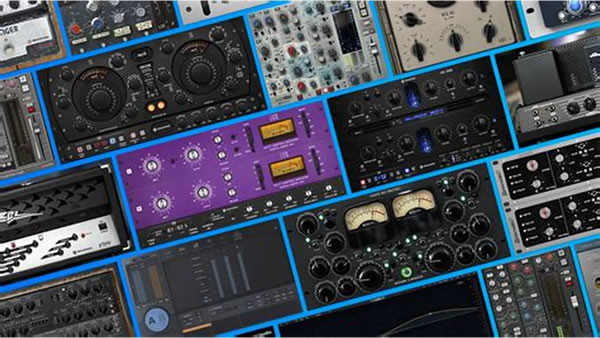
Over 40 audio effect processors, including high-end VST Dynamics, Pitch Correct for vocal intonation correction and the VST Amp Rack guitar tone suite
Powerful sample editor covering all common editing tasks and providing creative freedom while editing audio
Chord Track and Chord Pads for playfully and creatively composing with chords
Comprehensive content library with thousands of instrument sounds, MIDI construction loops and audio samples
Basic score editing features for music notation and composition
Full upward compatibility with Cubase Pro and Cubase Artist for seamless upgrading to the next level
Cubase Elements eXTended:
Number of audio tracks up to unlimited
Number of MIDI tracks up to unlimited
Number for instrument tracks up to unlimited
Physical inputs and outputs up to 256
Group channels up to 256
FX return channels up to 64
Number insers up to 16
Number of included audio effect plugins up to 64
Max samplerate up to 384 kHz
OMF, AAF, MXF import/export
Nuendo project import
5.1 surround
ARA2 extension support
Whats new in this version:
Official site does not provide any info about changes in this version.
System Requirements
64-bit Windows 10 Version 1909, 64-bit Windows 10 Version 2004, 64-bit Windows 10 Version 20H2
|